
Most creators who want to hear from their audience face an uncomfortable trade-off: publish your email address and deal with spam, or stay hard to reach and miss genuine opportunities. A contact form on your link in bio page offers a third option.
Why a contact form belongs on your link in bio page
Your link in bio page is visited by people who are already engaged with your content — they followed a link from your social bio, which means they were curious enough to tap through. That's a warmer audience than most. A contact form captures that moment of intent.
Without one, the only way a visitor can reach you is to find your email elsewhere, send a DM on one of your platforms, or give up. Many will give up — especially for opportunities like collaboration requests, media inquiries, or potential client work where the barrier to reaching out needs to be low.
The alternative to publishing your email address
Putting your email address on a public page means it gets harvested by spam bots within days. Even if you use an image instead of text, or a "mailto:" link, your inbox will fill with automated junk. A contact form routes messages through the platform, so your actual email address never appears publicly.
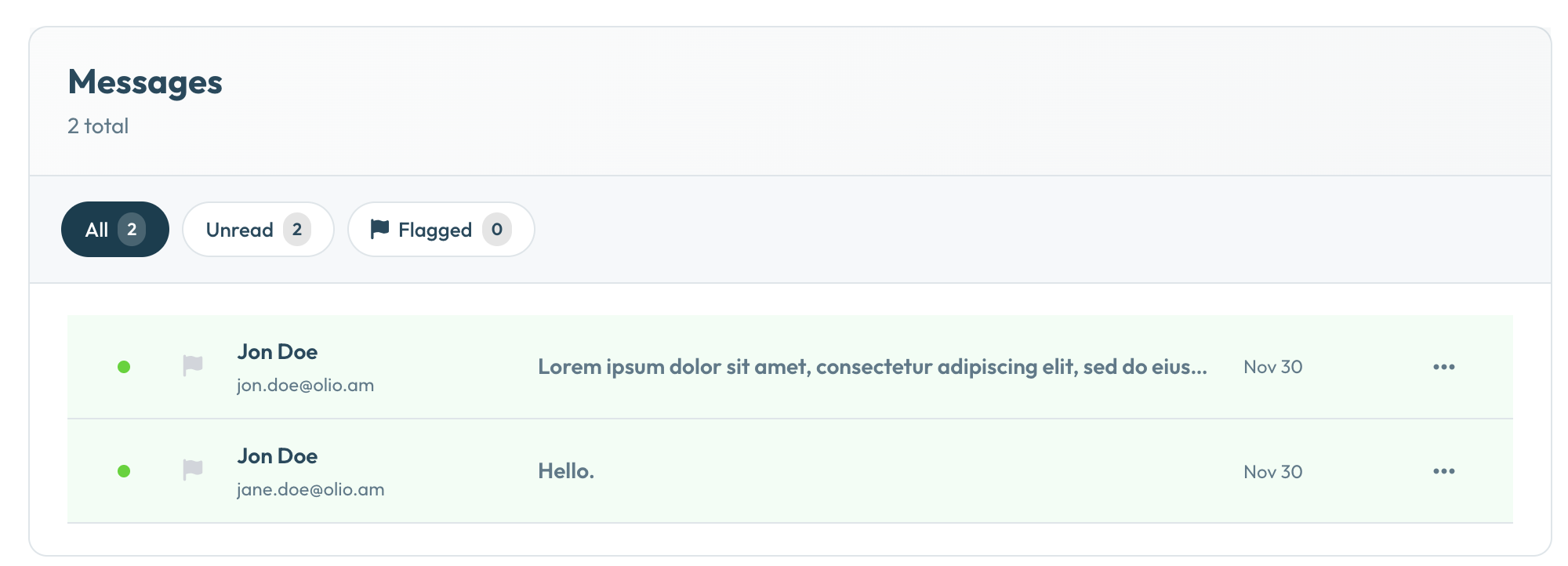
Messages go straight to your Olio inbox, where you can read and manage them without cluttering your email. You only share your real email address when you choose to respond.
What kinds of messages you'll actually receive
The quality of messages you get depends heavily on your audience, but common ones include:
- Collaboration requests from other creators or brands
- Media inquiries from journalists, podcasters, or producers
- Client inquiries if you offer services
- Speaking invitations
- Fan messages from people who want to connect
- Business pitches — some useful, some not
Even if you only get a handful of messages a month, one good collaboration or client lead from your link in bio page easily justifies having the form there.
How to handle the inbox without it becoming a burden
Check it on a schedule, not constantly. You don't need to monitor your inbox in real time. Once or twice a week is enough for most creators.
Set expectations. If your bio or page mentions that you check messages weekly, people will adjust their expectations and you won't feel pressure to respond immediately.
Don't feel obligated to respond to everything. A contact form is an invitation to reach out — not a commitment to reply to every message. Spam, irrelevant pitches, and low-effort requests can be ignored.
Contact forms in Olio
Olio's contact form is a Premium feature. Once enabled, a "Send a message" option appears on your profile page. Messages arrive in your Olio inbox — you can read, manage, and export them from your dashboard. No third-party form tool, no Zapier integrations, no extra setup.
Open the door to your audience
Contact inbox is included in Olio Premium. Start free and upgrade when you're ready.
Create Free Page