
Most creators manage their link in bio page the same way: log in, swap a link, log out, repeat. It works, but it's a chore — and if you forget to update it, your audience taps through to something stale.
Link scheduling fixes this. Instead of manually changing links around launches, campaigns, or events, you set the dates once and the page updates itself.
What link scheduling does
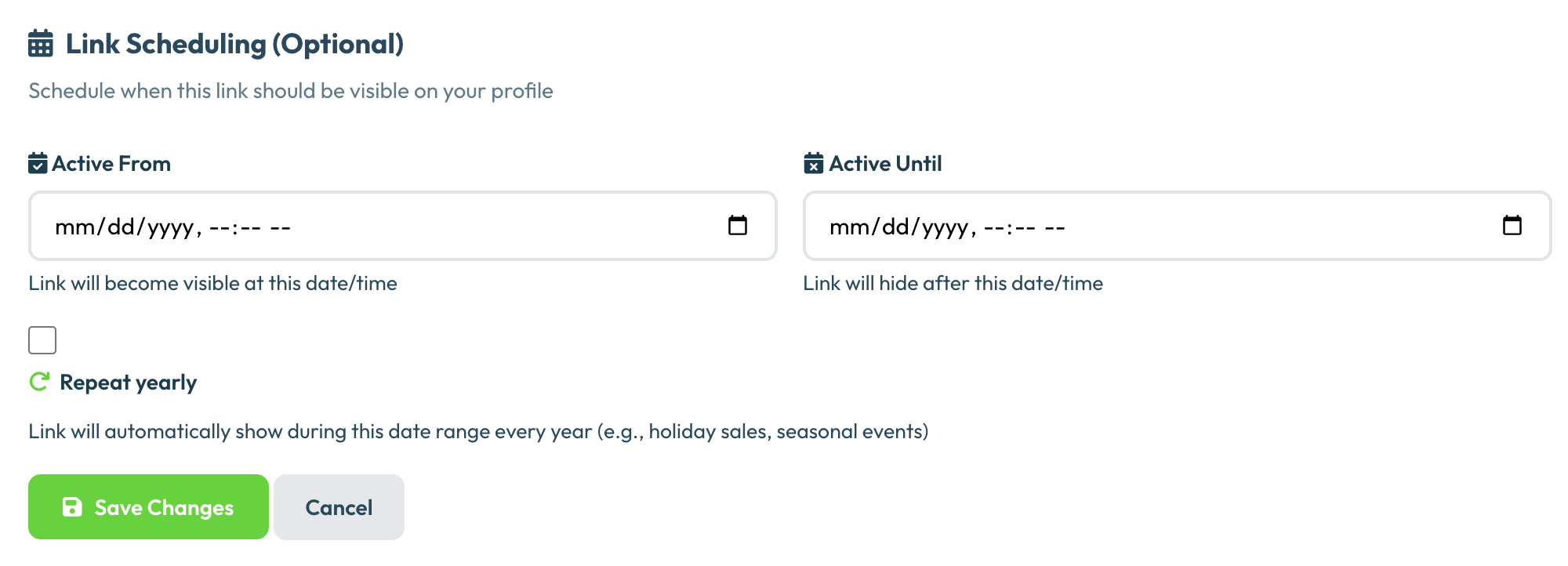
Link scheduling lets you assign a "go live" date and a "go inactive" date to any link on your page. The link appears automatically when the start date arrives and disappears when the end date passes — no manual intervention needed.
You can set either date independently. A link with only a start date goes live on that day and stays up permanently. A link with only an end date is live now but disappears at the deadline. Both together give you a precise window.
When link scheduling is most useful
Product launches. Build your launch page in advance. Schedule your store link, your launch video, and your waitlist signup to go live at exactly the right moment — even if you're asleep or offline when it happens.
Limited-time offers. Promotions with deadlines are more convincing when the link actually disappears when the offer ends. Schedule the discount link to go inactive at midnight so you don't have to remember to pull it down manually.
Events and appearances. Add a registration link for an upcoming event, schedule it to go inactive the day after the event, and your page automatically stays clean without housekeeping.
Seasonal content. Holiday campaigns, seasonal menus, annual sales — anything that has a natural start and end date is a good candidate for scheduling. Set it up once and forget it.
Content drops. If you release new content on a regular schedule (a weekly newsletter, a monthly video, a podcast episode), you can schedule the link to go live when the content publishes and set a new one for the following week.
How it saves time over the long run
The time savings are easy to underestimate. A creator who runs four promotions a year, each requiring two link swaps (live and expired), saves eight separate logins. That's not dramatic — but multiply it by every campaign, every launch, every event, and the manual overhead adds up.
More importantly, scheduling eliminates the risk of forgetting. A promotion that runs a day past its end date because you forgot to pull the link down undermines the urgency you built. An event registration link that disappears after the event automatically keeps your page current without requiring a system.
Link scheduling in Olio
Olio's link scheduler is available on Premium. When you add or edit any link, you'll see optional start and end date fields. Set them, save the link, and the rest is automatic. You can see all your scheduled links at a glance from your dashboard, including what's currently live, what's upcoming, and what's expired.
Set it and forget it
Link scheduling is included in Olio Premium. Start free and upgrade when you're ready.
Create Free Page